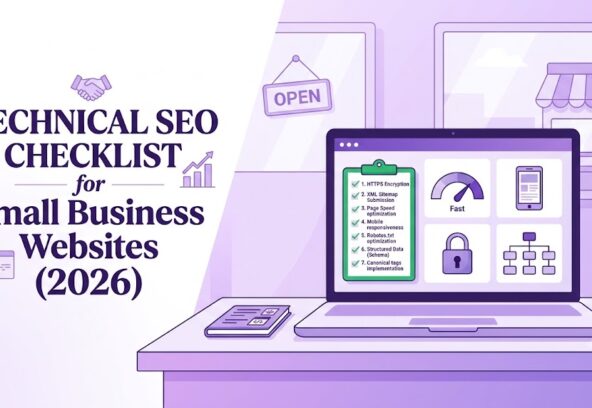
A technical SEO checklist helps small business websites become faster, easier to crawl, mobile-friendly, and clearer for both Google and AI search engines. In 2026, the essentials are indexability, clean site architecture, mobile-first performance, Core Web Vitals, structured data, and content that AI systems can accurately extract and cite.
Technical SEO is the foundation that makes your content discoverable. If Google or AI crawlers cannot access, render, and understand your pages, even excellent content may not rank or appear in AI Overviews.
Quick Technical SEO Checklist
Use this checklist to audit a small business website:
- Confirm important pages are indexed in Google Search Console.
- Submit an updated XML sitemap with canonical, reachable URLs.
- Check robots.txt so Googlebot and relevant AI crawlers are not blocked.
- Use HTTPS across the entire website.
- Ensure every page has one unique title tag and meta description.
- Use one H1 per page and a logical H2/H3 heading structure.
- Fix broken links, redirect chains, and duplicate content.
- Make the website mobile-friendly and fast.
- Meet Core Web Vitals thresholds.
- Add valid structured data, such as Organization, LocalBusiness, Article, FAQ, and Breadcrumb markup.
- Keep important content in server-rendered HTML, not hidden behind JavaScript.
- Create clear service, location, contact, and about pages.
- Maintain consistent business name, address, and phone number across the web.
Google states that pages must be indexed and eligible to appear in Search with a snippet before they can be shown in generative AI features.
1. Make Your Website Crawlable
Crawlability means search engines and AI systems can access your pages. Start by reviewing your robots.txt file and ensuring it does not block important pages, CSS, JavaScript, images, or XML sitemaps.
Check that:
- Your XML sitemap includes only live, canonical URLs.
- Every sitemap URL returns a 200 status code.
- Important pages are not blocked by noindex tags.
- Internal links use descriptive anchor text.
- There are no accidental password protections or firewall blocks.
Google’s generative AI systems use publicly accessible, crawlable content to provide grounded responses, so crawl access remains essential for AI visibility.
2. Ensure Every Important Page Is Indexed
Indexing means Google has stored and can display your page in search results. Use Google Search Console’s URL Inspection and Pages report to identify excluded, redirected, or blocked pages.
For a small business website, prioritize indexing:
- Homepage
- Service pages
- Location pages
- Contact page
- About page
- Blog articles
- Product or pricing pages
- FAQ pages
Avoid adding noindex to pages you want to rank. Also ensure each page has a self-referencing canonical tag unless it is intentionally a duplicate or paginated page.
3. Fix Site Architecture and Internal Links
A clear site structure helps users and crawlers understand what your business offers. Small business websites should usually follow a simple structure: homepage, main service categories, individual service pages, location pages, blog, and contact page.
Use this structure:
Home
├── Services
│ ├── Service A
│ ├── Service B
│ └── Service C
├── Locations
│ ├── City or Area A
│ └── City or Area B
├── Blog
├── About
└── Contact
Keep important pages within three clicks of the homepage. Add contextual internal links from blog posts to relevant service pages, and from service pages to related blog articles.
4. Use HTTPS and Secure Your Website
HTTPS encrypts data between the visitor and your website. Every small business website should use a valid SSL certificate and redirect all HTTP URLs to HTTPS.
Check for:
- Valid SSL certificate
- HTTPS version set as the canonical version
- No mixed-content warnings
- Secure forms and checkout pages
- Updated plugins, themes, and software
Security supports user trust, protects customer data, and prevents browser warnings that can increase bounce rates.
5. Optimize for Mobile-First Indexing
Google uses a mobile crawler as its default crawler, so your mobile website must contain the same essential content, headings, structured data, and internal links as your desktop version. developers.google
Test your website on real phones and in tools such as PageSpeed Insights and Lighthouse. Make sure buttons are easy to tap, text is readable without zooming, forms work smoothly, and menus do not hide important content.
6. Improve Core Web Vitals
Core Web Vitals measure real-world user experience. Google’s commonly referenced thresholds are:
| Metric | What it measures | Good target |
| LCP | Loading speed | 2.5 seconds or less |
| INP | Responsiveness to user interaction | 200 milliseconds or less |
| CLS | Visual stability | 0.1 or less |
These thresholds are assessed at the 75th percentile of page loads.
To improve them:
- Compress and resize images.
- Use modern image formats such as WebP or AVIF.
- Lazy-load below-the-fold images.
- Minimize render-blocking JavaScript and CSS.
- Use caching and a content delivery network.
- Avoid intrusive pop-ups and layout-shifting ads.
- Choose reliable, fast hosting.
Check site-wide performance in Search Console’s Core Web Vitals report, then diagnose individual URLs in PageSpeed Insights.
7. Remove Duplicate Content and Redirect Issues
Duplicate pages confuse search engines and split ranking signals. Audit your website for duplicate service pages, parameter-based URLs, print versions, HTTP/HTTPS duplicates, and www/non-www versions.
Fix these issues by:
- Using canonical tags correctly.
- Redirecting outdated URLs with 301 redirects.
- Avoiding redirect chains and redirect loops.
- Consolidating thin or overlapping pages.
- Using consistent URL formats.
Every important page should have one preferred version that loads with a 200 status.
8. Add Structured Data for Rich Results and AI
Structured data is machine-readable code, usually JSON-LD, that helps search engines understand what a page represents. Google recommends structured data to help it understand non-text content and qualify pages for enhanced search features.
For small business websites, use relevant schema types:
| Page type | Recommended schema |
| Homepage | Organization, WebSite |
| Local business page | LocalBusiness, PostalAddress, GeoCoordinates |
| Service page | Service, Offer |
| Blog post | Article, Person, datePublished, dateModified |
| FAQ section | FAQPage |
| Product page | Product, Offer, AggregateRating |
| Breadcrumbs | BreadcrumbList |
Validate markup with Google’s Rich Results Test and a schema validator. The structured data should match the visible content on the page.
9. Optimize for Google AI Overviews
To improve eligibility for Google AI Overviews, make your content easy to crawl, index, and extract. Google advises applying the same foundational SEO practices used for Search, including technical accessibility, clear structure, and helpful people-first content.
Do this:
- Place a direct 2–4 sentence answer at the top of key pages.
- Use question-based H2 and H3 headings.
- Answer each question in short, self-contained passages.
- Use bullet points, numbered steps, and comparison tables.
- Add statistics, definitions, and source links where relevant.
- Include an FAQ section with concise answers.
- Keep content visible in the initial HTML response, not only after JavaScript loads.
AI systems extract specific passages, so every major section should contain at least one clear, standalone, citable statement.
10. Optimize for GEO: Generative Engine Optimization
Generative Engine Optimization, or GEO, is the practice of structuring content so AI systems can accurately interpret, summarize, and cite it. It builds on technical SEO but focuses even more on clarity, authority, and machine-readable structure.
For GEO, small businesses should:
- Allow relevant AI crawlers in robots.txt, based on your business and privacy policy.
- Publish a clear About page with company background and credentials.
- Add author bios with real expertise and profile links.
- Use consistent brand names, services, locations, and contact details.
- Link important entities to authoritative sources.
- Refresh cornerstone content and display a “Last updated” date.
- Add original insights, local data, case studies, pricing guidance, and practical examples.
- Avoid keyword stuffing, vague claims, and duplicated AI-generated text.
Research-based GEO recommendations highlight authoritative quotations, statistics with sources, clear entity links, server-rendered HTML, and strong schema coverage as useful citation signals.
11. Strengthen Local Technical SEO
For local businesses, technical SEO should support local search visibility. Create a dedicated contact or location page with your full business name, address, phone number, opening hours, map, and service area.
Use LocalBusiness schema and ensure your name, address, and phone number match your Google Business Profile and major directories. Also add location-specific service pages only when they provide unique, useful information—not near-duplicate pages with only the city name changed.
12. Improve Accessibility and Semantic HTML
Semantic HTML helps both users and machines understand page structure. Use proper HTML elements such as <header>, <nav>, <main>, <article>, <section>, <h1>–<h6>, <ul>, <ol>, and <footer>.
Also:
- Add descriptive alt text to images.
- Use descriptive link text instead of “click here.”
- Maintain strong color contrast.
- Label form fields clearly.
- Avoid hiding essential content behind tabs, accordions, or JavaScript-only elements.
Google notes that semantic HTML helps users, including screen-reader users, navigate and understand a page more easily.
13. Monitor Technical SEO Every Month
Technical SEO is not a one-time task. Set a monthly routine to catch issues before they affect rankings or leads.
Monitor:
- Google Search Console indexing and crawl errors
- Core Web Vitals and PageSpeed Insights scores
- Broken internal and external links
- XML sitemap errors
- Structured data errors
- Mobile usability
- Security warnings
- AI crawler access and citation visibility
- New pages that need indexing
Regular updates, accurate data, and clear sourcing help AI systems trust and cite your content over time.
FAQs
What is technical SEO for small businesses?
Technical SEO is the process of making a website easy for search engines to crawl, index, understand, and serve to users. It includes site speed, mobile-friendliness, HTTPS, sitemaps, structured data, internal links, and fixing crawl errors.
Why is technical SEO important in 2026?
Technical SEO is important because Google and AI search systems must be able to access and understand your content before they can rank or cite it. Fast, mobile-friendly, well-structured websites provide a better user experience and stronger AI visibility.
How often should a small business audit technical SEO?
Small businesses should perform a basic technical SEO check monthly and a full audit every 3–6 months. Check immediately after a website redesign, migration, plugin update, or major content change.
What are Core Web Vitals?
Core Web Vitals are Google’s user-experience metrics: Largest Contentful Paint for loading, Interaction to Next Paint for responsiveness, and Cumulative Layout Shift for visual stability. Good targets are 2.5 seconds or less for LCP, 200 milliseconds or less for INP, and 0.1 or less for CLS.
Does technical SEO help AI Overviews?
Yes. Google says a page must be indexed and eligible to appear in Search before it can appear in generative AI features. Crawlable content, clean HTML, fast loading, mobile usability, and structured content all support AI Overview visibility.
What is GEO in SEO?
GEO stands for Generative Engine Optimization. It means structuring and writing content so AI search engines can accurately understand, summarize, and cite it. Clear headings, direct answers, FAQs, authoritative sources, and schema markup support GEO.
Final Thoughts
A strong technical SEO checklist helps small business websites rank better in Google Search, perform well on mobile, and become more visible in AI-powered results. Focus first on crawlability, indexation, site speed, mobile experience, structured data, and clear content structure.
For the best results in 2026, combine technical SEO with GEO: make your website fast and accessible, then publish helpful, original, well-structured content that AI systems can confidently understand and cite.