Introduction
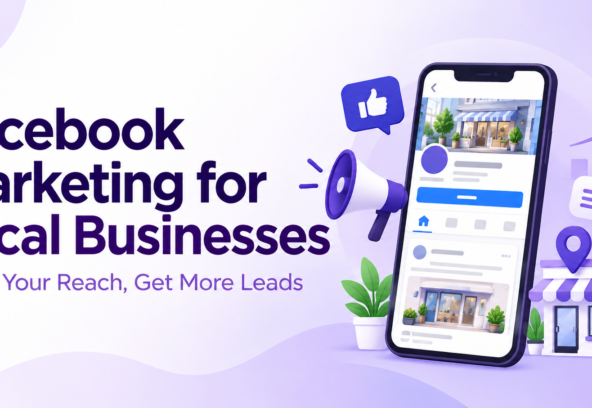
Facebook marketing for local businesses is one of the easiest ways to reach people who live near your shop, clinic, office, restaurant, salon, or service area. When used properly, Facebook can help local brands build trust, stay visible in their community, answer customer questions, and generate enquiries.
Many people check Facebook before visiting a local business. They look for the location, phone number, opening hours, customer reviews, photos, services, and recent updates. A well-managed Facebook presence makes it easier for potential customers to find and contact a business.
You do not need a large marketing team to get started. With a complete Facebook Business Page, useful content, quick replies, and locally targeted ads, even a small business can reach the right people. Facebook marketing can help you get more calls, messages, appointments, website visits, and store visits from nearby customers.
This guide explains how Facebook marketing for local businesses works, what to post, how to run ads, and how to turn attention into real leads and customers.
Why Facebook Marketing Matters for Local Businesses
Helps Nearby Customers Find Your Business
A local business depends on customers in a particular city, neighbourhood, or service area. Facebook allows you to display important business information such as your address, map location, phone number, business hours, website, and services in one place.
When people search for a nearby business, they usually want quick answers. They may be looking for a dentist, restaurant, gym, beauty salon, repair service, coaching centre, boutique, or home-service provider. A complete and active Facebook Page helps them see that your business is genuine, easy to contact, and currently operating.
For local businesses, Facebook is not only about gaining likes. It is about helping a nearby person take the next step, such as calling your business, sending a WhatsApp message, booking an appointment, requesting directions, or visiting your location.
Builds Trust Before Customers Contact You
People want to feel confident before choosing a local service. Facebook gives businesses several ways to build that confidence.
- Share real photos of your workplace, team, products, or completed work
- Post customer testimonials with permission
- Answer common questions in simple language
- Show your business hours and correct contact details
- Share useful tips related to your service
- Reply professionally to comments and messages
An inactive Facebook Page with outdated details can create doubt. On the other hand, regular posts and timely replies show that a business is active, professional, and customer-focused.
Supports Free and Paid Marketing
Facebook marketing includes two main methods.
- Organic Facebook marketing: Free posts, videos, photos, Stories, community engagement, and replies
- Paid Facebook marketing: Facebook ads that target people based on location, interests, and other relevant details
Organic Facebook content helps build long-term trust with your audience. Paid Facebook ads can help you reach more local customers faster, especially when you have a new service, special offer, event, product launch, or seasonal promotion.
Meta Business Suite allows businesses to manage Facebook and Instagram content, messages, ads, and performance insights from one place.
How to Set Up a Facebook Business Page
Choose the Right Business Name
Your Facebook Page name should match your actual business name as closely as possible. Avoid adding too many unnecessary keywords, symbols, or promotional phrases. A clean business name helps customers recognise your brand and makes your page look professional.
For example, use:
ABC Dental Clinic
Instead of:
Best Dentist Dental Implants Teeth Cleaning Hyderabad Offers
You can add relevant keywords naturally in your business description, service section, post captions, and website content.
Complete Your Business Information
A Facebook Business Page should not feel incomplete. Add all essential information before you begin posting content or running Facebook ads.
- Business name
- Business category
- Profile photo with your logo
- Cover photo showing your service, team, or business location
- Website link
- Phone number
- WhatsApp contact option, if available
- Full address or service area
- Business hours
- Email address
- Short business description
- List of products or services
- Booking link, if available
Keep your address, business hours, contact number, website, and service details updated. Incorrect details can cause customers to lose trust or contact a competitor instead.
Add a Clear Call-to-Action Button
Your Facebook Business Page should make it easy for visitors to take action. Choose a call-to-action button based on the main goal of your business.
Common Facebook call-to-action buttons include:
- Call Now
- Send Message
- Book Now
- Learn More
- Get Directions
- Sign Up
For an appointment-based business, Book Now, Call Now, or WhatsApp can work well. For a restaurant, salon, shop, or clinic, Get Directions may also be useful. For service businesses, Send Message and Call Now can help generate local enquiries.
What to Post on Facebook
Create Helpful Local Content
The best Facebook content for local businesses does not need to be complicated. Focus on posts that help people understand your services, products, business values, and how you can solve customer problems.
Useful Facebook content ideas include:
- Introduce your business and team members
- Explain your services or products
- Share frequently asked questions
- Post behind-the-scenes photos and videos
- Share customer reviews with permission
- Publish seasonal tips and reminders
- Announce new products, services, or business hours
- Highlight local events or community activities
- Share before-and-after work with customer consent
- Explain common customer problems and solutions
For example, a dental clinic can post oral-care tips, explain the benefits of regular check-ups, introduce a dentist, or answer common questions about dental implants. A salon can share hair-care tips, new styles, appointment availability, and customer transformations. A local restaurant can post menu items, customer favourites, fresh dishes, and weekend specials.
Use Real Photos and Short Videos
Real photos are highly valuable for Facebook marketing for local businesses. They make your business feel more genuine, personal, and trustworthy.
Try to use:
- Images of your actual business location
- Friendly team photographs
- Real products or completed services
- Short videos explaining a service
- Customer-friendly educational visuals
- Clean, well-lit photos with minimal text
Avoid relying only on unrelated stock images. Customers want to know what your real business looks like. A mixture of real images, short videos, customer reviews, and simple graphic posts usually gives better results.
Write Easy-to-Read Captions
Facebook users scroll quickly, so your captions should be easy to understand. Start with a clear opening line, explain the benefit, and end with one simple call to action.
A useful caption format is:
- Start with a customer problem or question
- Explain how your product or service helps
- Tell the reader what to do next
Example:
Looking for a reliable local plumbing service? Our team can help with repairs, installations, and emergency support. Call us today to book a visit.
Do not overload every post with too many keywords, hashtags, capital letters, or offers. Clear and helpful writing performs better than complicated promotional language.
Build a Facebook Content Plan
Post Consistently
Consistency matters more than posting many times in one week and then disappearing for a month. Create a realistic Facebook content schedule that you can maintain.
A practical plan for many local businesses is:
- Two or three educational posts per week
- One customer review or testimonial post per week
- One service, product, or offer-related post per week
- Regular Facebook Stories for quick updates, reminders, and behind-the-scenes content
Your content should include a healthy mix of education, trust-building, community updates, and promotion.
Use Facebook Stories
Facebook Stories are useful for timely and informal updates. They can help your local business stay visible without needing to create a full feed post every day.
You can use Facebook Stories for:
- Today’s appointment availability
- New product arrivals
- Quick shop, office, or clinic updates
- Festival greetings
- Short service tips
- Polls and customer questions
- Reminders to call, message, visit, or book
Keep Stories short, clear, and visually simple. Add local location tags when relevant so people understand where your business is based.
Reply Quickly to Messages
A potential customer may choose another local business if they do not receive a reply quickly. Set up automated greetings and frequently asked question responses, but make sure a real person follows up when needed.
Meta Business Suite brings Facebook and Instagram messages into one inbox, making it easier to manage customer conversations, notifications, scheduled posts, and performance insights.
A simple automatic reply can be:
Thank you for contacting us. Our team will respond shortly. Please share your name, preferred date, and the service you need help with.
This gives customers confidence that their message has been received.
Facebook Ads for Local Businesses
Choose a Clear Advertising Goal
Before creating a Facebook ad, decide what result you want. Do not run an ad only because you want more likes or followers.
Common Facebook advertising goals for local businesses include:
- More phone calls
- More WhatsApp messages
- More Facebook Messenger enquiries
- More website visits
- More appointment bookings
- More store visits
- More local leads
- More brand awareness in your area
For example, a clinic may run a Messages campaign to get consultation enquiries. A restaurant may run a local awareness campaign. A salon may run a booking campaign before a festival, holiday, or wedding season.
Facebook allows local businesses to promote their services and reach people in nearby areas through ads.
Target the Right Local Area
Location targeting is one of the biggest advantages of Facebook marketing for local businesses. Instead of showing your ad across an entire country, you can focus on people near your business or within the areas you serve.
Facebook ads can target people by:
- City
- Neighbourhood
- Postal code
- Specific location radius
- Nearby localities
- People living in or recently visiting a location
Choose a realistic service area. Some businesses, such as specialised clinics, premium restaurants, lawyers, and home renovation services, may attract customers from a wider area. Other businesses may need to focus more closely on nearby customers.
If you target too broad an area, you may spend money on people who are unlikely to become customers. If you target too small an area, your audience may be limited. Test different locations and review the quality of enquiries.
Create Ads With a Clear Message
A good Facebook ad should answer three questions quickly:
- What are you offering?
- Who is it for?
- What should the person do next?
Use a clear photo or short video, simple ad copy, and one strong call-to-action button.
Example:
Looking for a trusted local service provider? Contact our team for expert support and personalised solutions. Send us a message today to get started.
Call Now or Send Message
Do not place too much text on the advertisement image. Use the caption to explain the offer and the call-to-action button to guide users toward the next step.
How to Measure Facebook Marketing Results
Track Actions That Matter
Likes and followers can be useful, but they should not be the only measure of Facebook marketing success. Local businesses should focus on actions that can lead to customers and revenue.
Important metrics include:
- Phone calls received
- WhatsApp messages
- Facebook Messenger enquiries
- Appointment bookings
- Website form submissions
- Direction requests
- Store visits
- Cost per lead
- Quality of enquiries
- Actual customers gained from Facebook
Meta Business Suite provides insights for organic posts and paid campaigns, helping businesses identify what content and ads perform best.
Improve Based on Results
Review your Facebook marketing performance regularly. If a specific service post gets more messages, create more content around that topic. If videos receive better engagement, create more short videos. If an ad generates low-quality leads, change the audience, image, offer, or call to action.
Do not make major changes after only one day. Give your Facebook ad enough time to collect useful data, then make improvements based on actual results.
Common Facebook Marketing Mistakes
Posting Only Promotional Content
If every Facebook post says “Book now” or “Limited offer,” people may stop engaging. Balance promotional content with helpful tips, real stories, customer experiences, local updates, and answers to common questions.
Not Replying to Messages
A delayed response can cost you a customer. Check your Facebook inbox daily, and set up automatic responses outside working hours.
Using Incorrect Business Information
An old phone number, wrong address, incorrect business hours, or broken website link can frustrate potential customers. Review and update your Facebook Business Page regularly.
Targeting Too Broadly
A local business does not need to target everyone. Focus your Facebook ads on people who can realistically become customers based on location, service needs, and relevant interests.
Ignoring Customer Reviews
Customer reviews influence trust. Thank people for positive reviews. If you receive negative feedback, respond calmly, politely, and professionally. Do not argue with customers publicly.
Conclusion
Facebook marketing for local businesses can help you reach nearby customers, build trust, and generate real enquiries without a complicated strategy. Begin with a complete Facebook Business Page, correct business information, useful local content, fast replies, and a clear call to action.
Once your page is active, use Facebook ads to reach people within your service area. Focus on practical goals such as phone calls, messages, bookings, direction requests, and qualified leads instead of only likes or followers.
The most successful local businesses stay consistent. They share helpful posts, show their real team and services, respond quickly to customer messages, and make it easy for people to contact them. With the right Facebook marketing strategy, your local business can grow visibility, trust, and customer enquiries.
Frequently Asked Questions
1. Is Facebook marketing good for local businesses?
Yes. Facebook marketing helps local businesses reach people in nearby areas. A complete Facebook Business Page can show your address, services, phone number, business hours, reviews, and updates, helping local customers contact or visit your business.
2. How often should a local business post on Facebook?
Most local businesses can start by posting three to five quality Facebook posts per week. Share useful content, customer reviews, service updates, local tips, and promotional posts. Consistency is more important than posting too frequently.
3. Can I target customers near my business with Facebook ads?
Yes. Facebook ads allow local businesses to target people by city, neighbourhood, postal code, or a radius around a business location. This helps you reach people who are more likely to visit, call, book, or send an enquiry.
4. What type of Facebook posts work best for local businesses?
Real photos, short videos, customer reviews, service explanations, local tips, behind-the-scenes content, and frequently asked questions work well. Use clear captions and include one action such as Call Now, Send Message, Book Now, or Get Directions.
5. How can I get more enquiries from Facebook?
Keep your Facebook Business Page accurate, post useful content regularly, respond quickly to messages, and use clear calls to action. You can also run locally targeted Facebook ads with a Messages, Calls, or Leads objective to attract potential customers in your service area.